Your Team Is Using AI.
Who’s Protecting Your Data?
Cybersecurity changed.
AI changed IT with it.
You may have antivirus. You may have MFA. You may have backups. You may have a great IT company. Good.
But who is watching when something gets through? What AI tools are your employees already using? What company data is going into them?
Cybersecurity now includes AI. That doesn't mean AI is bad. It means it has to be understood, governed, controlled, and then put to work.
You're doing most things well. But things have changed. Take 20 minutes with John, and know you have it covered.
No rip-and-replace pitch. No obligation to change providers.
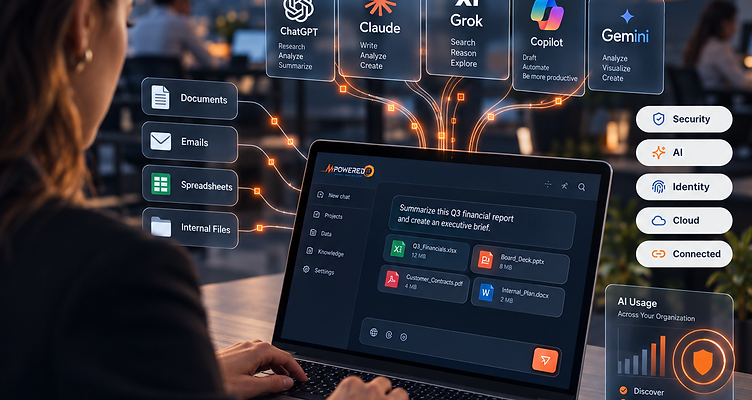
How Secure Is Your
AI & IT Setup?
Answer eight quick questions to see where you stand and what may deserve a closer look. Get your results immediately, no email, login, or meeting required. Your answers stay on your device unless you submit the booking form.
Do you know which AI tools employees currently use?
Are employee AI accounts company-controlled?
Do employees know what company information can and cannot be shared with AI?
Do you know which AI tools have access to email, files, CRM, or cloud systems?
Is someone actively monitoring cybersecurity threats outside normal business hours?
Can your company show evidence that MFA protects critical systems?
Is AI included in employee onboarding and offboarding?
Do you have a written and operational AI usage policy?
Answer all 8 questions to see your results, no contact details required.
Cybersecurity
Doesn't Stop at
Antivirus Anymore.
Old Assumption
“We have the tools. We're covered.”
These are essential foundations, not complete security coverage.
Today's Reality
Tools are the start. Coverage takes more.
You also need visibility, monitoring, and people ready to respond across these areas.
Having security tools is not the same as having security coverage.
Ask John what your current stack may be missing
Think You're
Secure?
Ask who's watching at 2 A.M.
Attackers don't wait until Monday morning. A suspicious login may look like a real employee. Stolen credentials may pass right through traditional perimeter controls.
An unusual process may not automatically mean "attack." That is why modern cybersecurity increasingly combines technology with continuous monitoring and experienced human investigation.
You don't only need alerts. You need someone who can determine what the alert means.


AI Didn't Wait
For Your Policy.
Your employees are already using it.
Nobody is trying to create a cybersecurity problem. They're trying to save time. That is exactly why leadership needs visibility.
Your Employees
Are Using AI.
You Just Don't Know
What They're Feeding It.
A customer email may include names, contact details, account issues, or private conversations.
Customer details and private conversations.
A contract may reveal negotiated pricing, payment terms, confidential obligations, or client commitments.
Negotiated pricing and confidential commitments.
A proposal may expose your strategy, prospect data, project plans, or the approach that sets your business apart.
Sales strategy and prospect information.
A spreadsheet may contain financial forecasts, profit margins, employee salaries, or other personal information.
Financial forecasts and employee salaries.
It goes beyond these four: meeting notes, private project files, internal policies, and proprietary knowledge may contain customer decisions, confidential plans, or the know-how your business has spent years building.
When someone pastes information into an AI tool, uploads a file, or connects an account, business information may be shared with an AI service. Connected access depends on the permissions granted.
What the provider can retain or use depends on the tool, account, and settings. Using AI does not automatically give it access to company files. The question is what your team shares, what access they authorize, and whether your company controls those choices.
You cannot govern what you cannot see.
We can help you see it.
Get Visibility Into Your AI UseWhose Problem Is It When Customer Data Goes Into AI?
An employee receives a long customer email. They paste it into AI. They ask: "Summarize this and draft a response."
They probably saved 15 minutes. Now ask:
The employee should not have to make a security, privacy, legal, and governance decision every time they open an AI prompt.
That is the organization's responsibility.
The Moment AI Gets Access,
AI Becomes Cybersecurity.
Depending on its permissions, a connected AI tool may read messages, draft replies, or send email. Confirm which mailboxes it can access and when a person must approve a send.
Discuss this with JohnAI may be able to read or edit files you authorize, including customer records and internal plans. Limit access to the folders it needs and review who can approve changes.
Discuss this with JohnA CRM connection may give AI access to customer details, sales notes, or record updates. Check which records it can see, what it can change, and how those changes are reviewed.
Discuss this with JohnA cloud storage connection may expose shared documents beyond a single uploaded file. Review the folders and permissions granted, and how access is revoked when it is no longer needed.
Discuss this with JohnCalendar access may include attendee details, meeting notes, and the ability to create or change events. Decide which calendars AI can use and whether invitations need human approval.
Discuss this with JohnAn AI workflow may act across several connected systems. Set clear limits on what it can do, require approval for consequential actions, and know how to pause it if something goes wrong.
Discuss this with JohnAI integrations can create tremendous productivity. The goal is not to avoid them. The goal is to secure them before they become mission-critical.
Banning AI
Won't Stop AI.
It may just hide it from you.
Employees still have deadlines. They still know AI works. They still have access to personal tools.
The better strategy is to give them a safer, approved way to use AI.
Make the safe path the easy path.
We can help you build it.
Build a Safe AI StrategyGive Employees AI
They Can Actually Use.
A managed AI environment provides the structure your team needs to be productive without exposing company data.
This describes a managed capability generically. mPowered IT does not guarantee specific compliance outcomes. Your environment, policies, and obligations are unique.
Secure It First.
Then Put AI to Work.
See It
Know what employees use.
Secure It
Protect access, accounts, and data.
Govern It
Set practical rules.
Use It
Give employees productive tools.
Scale It
Automate workflows and business processes.
Potential AI Productivity Examples
The point of Secure AI is not to use less AI. It is to use more AI with control.
We can help you get there.
Put Secure AI to WorkKeep What Works.
Add What's Missing.
Already have an IT company you like? Keep them.
Have an internal IT manager who knows the business? Great.
mPowered IT does not have to replace either one. We can work:
For You
As your managed technology and cybersecurity partner.
With Your IT Person
Adding security depth, AI governance, monitoring, and strategic resources.
Alongside Your MSP
Filling gaps in cybersecurity, Secure AI, AI governance, or strategic planning.
Sometimes you don't need a replacement. You need another layer.

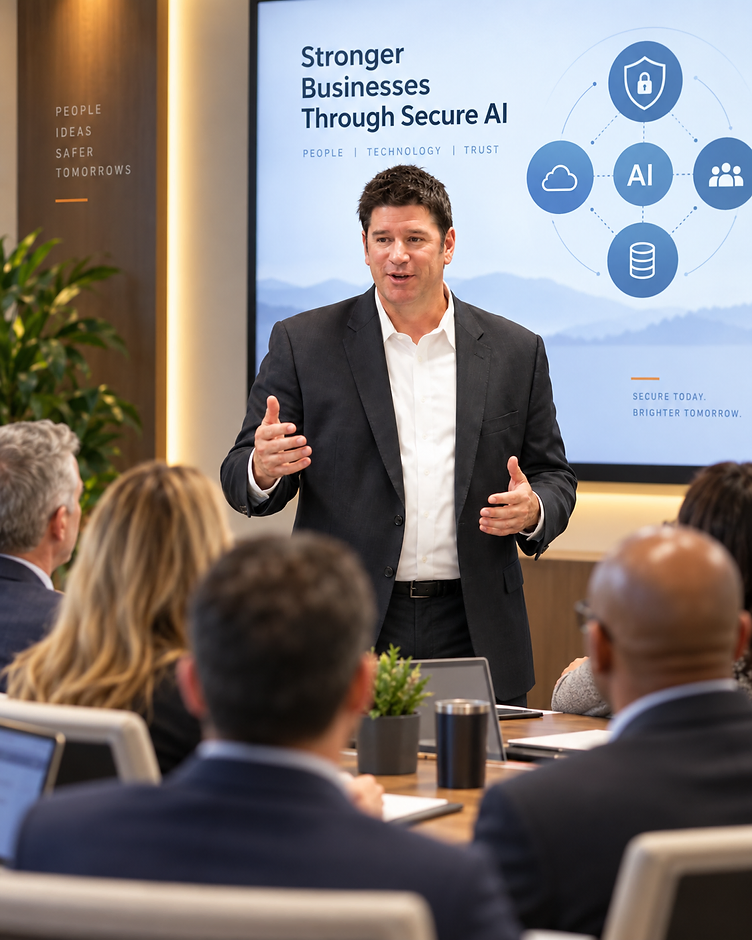
John Mamon
Founder & CEO
Who Is John Mamon?
John Mamon helps growing businesses understand where cybersecurity, technology, and AI now meet.
His role is not to sell you another piece of software. His role is to understand:
John helps leadership cross the bridge from:
"If you have a great internal IT person, I don't want their job. I want to give them more coverage."
"If you're already well covered, that's good news. Let's verify it."
Don't Dismiss Us.
Put Us to the Test.
Bring John your hardest cybersecurity or AI question.
"My MSP says we're covered."
"We have MFA. Is that enough?"
"Who is actually watching after hours?"
"Our employees already use AI. What should we do?"
"Can AI safely connect to Outlook?"
"Do we need an AI policy?"
"Can we work with you without replacing our IT provider?"
"How do we use AI without exposing company data?"
"What should we automate first?"
Know Where You Stand.
Know What to Do Next.
Your team is using AI. Your business depends on secure technology. Let’s talk about where the two meet, and what deserves your attention.
Bring your biggest question about AI or cybersecurity. John will help you make sense of the concern, discuss potential gaps, and identify a practical next step.
What would make this conversation valuable for you?
Talk through which AI tools your team uses and what business information may be going into them.
Discuss where sensitive information is stored, who can access it, and which safeguards deserve a closer look.
Explore clear, usable rules for approved tools, data sharing, and employee responsibilities.
Bring your insurance questions and discuss the security controls and evidence your insurer may ask for.
Discuss what is working, who owns key responsibilities, and where additional support might help without replacing your provider.
Straight answers. Practical guidance.
If your setup sounds well covered, we’ll tell you. If a concern surfaces, we’ll explain where we would start. No obligation to change providers.
Bring one question. Leave with a clearer direction.
Get Clarity on AI & Security
Choose a time for your 20-minute conversation with John.
Technology should enable your mission, not become another problem to manage.
The Most Dangerous Words in Cybersecurity:
"I Think We Have That Covered."
You might. That's good.
But cybersecurity has changed. AI has changed. Your employees have changed the way they work. The tools around them are changing even faster.
Don't wait for a breach, insurance renewal, employee departure, or AI incident to discover where the gaps were.
Find out now.
Frequently Asked
Questions
Yes. When AI uses company information, employee identities, connected applications, files, email, CRM systems, or workflows, AI becomes part of the company's security and access environment.
No. The objective is usually to give employees a safer, managed way to use it.
AI tools, accounts, or workflows employees use without formal company approval, visibility, or governance.
Most growing businesses do not. They need practical governance, secure tools, managed access, employee training, and a strategy.
Not necessarily. mPowered IT can work alongside an existing provider or internal team to add cybersecurity, Secure AI, governance, monitoring, and strategic resources.
It means security activity is monitored beyond normal office hours, with suspicious activity investigated rather than simply generating alerts that may sit until someone sees them.
Yes. The goal is not simply to restrict AI. Once governance and security are established, the next step is identifying useful applications for research, communication, analysis, knowledge, workflows, automation, and other business processes.
Bring your biggest cybersecurity or AI question. John will help you understand the issue, ask practical questions about your current environment, and identify whether there is anything worth exploring further.